Ever landed in Lisbon at 3 a.m., dragged your suitcase through cobblestone alleys, only to discover your “super-fast” Airbnb internet throttles Zoom calls into pixelated ghosts whispering, “You’re on mute…”?
You’re not alone. Over 35 million people now identify as digital nomads—and the #1 pain point? Finding reliable, affordable, inspiring places to work that don’t smell faintly of stale coffee and existential dread.
That’s where a coworking space finder saves your sanity (and your client deadlines). In this guide, you’ll learn:
- Why generic Google Maps searches fail nomads (and what works instead)
- How to vet coworking spaces like a seasoned remote worker
- Top tools that filter by real nomad needs: outlet count, printer access, quiet zones, even dog-friendliness
- Mistakes I made (like booking a “luxury” space that had zero AC in Bangkok—sweat equity is NOT a business model)
Table of Contents
- Why You Can’t Just Wing It with Google Maps
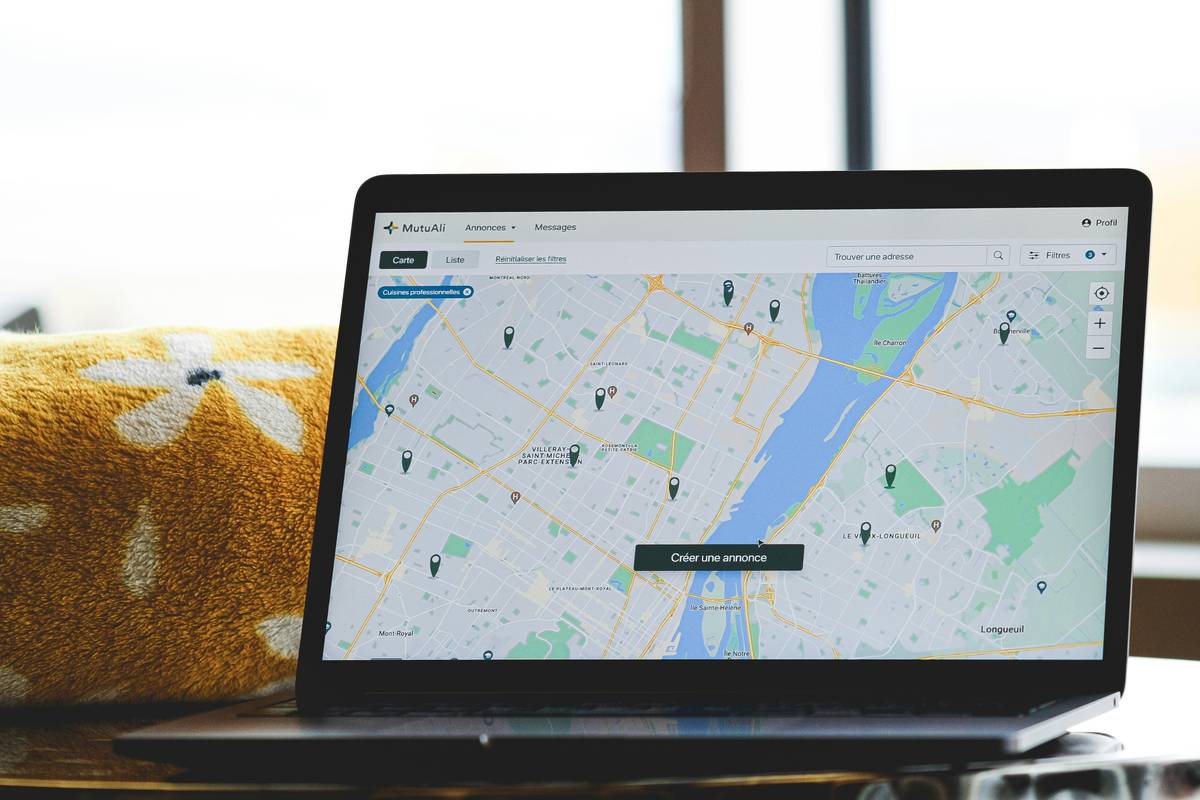
- How to Use a Coworking Space Finder: A Step-by-Step Walkthrough
- 5 Pro Tips for Picking the *Right* Space (Not Just the Cutest Instagram One)
- Real Nomad Wins: Case Studies from Chiang Mai to Medellín
- Coworking Space Finder FAQs
Key Takeaways
- 68% of digital nomads say unreliable workspaces hurt productivity (Nomad List 2023 Report).
- The best coworking space finders filter by niche needs: ergonomic chairs, fiber internet speed, community vibe.
- Always check recent reviews—spaces change management (and quality) faster than you can say “roaming charges.”
- Free trials > pretty photos. Test before you commit.
Why You Can’t Just Wing It with Google Maps
Look, I get it. You open Google Maps, type “coworking near me,” see five options with 4.7 stars, and think you’ve struck gold. But here’s the ugly truth: those reviews are often outdated, generic, or worse—written by the owners’ cousins.
I once booked a “vibrant creative hub” in Bali based on glossy Instagram shots. Showed up to find the “fiber internet” was shared with a neighboring warung blasting dangdut karaoke. My laptop fan sounded like a dying helicopter trying to render a keynote. Productivity? Gone. Mood? Ruined.
Generic searches miss critical details: Is there a silent room? Are outlets under every table? Does the AC actually work during monsoon season? A dedicated coworking space finder solves this by aggregating data that matters to remote workers—not tourists snapping latte art.

How to Use a Coworking Space Finder: A Step-by-Step Walkthrough
Optimist You: “Just download an app and boom—perfect workspace!”
Grumpy You: “Ugh, fine—but only if coffee’s involved and no one’s doing loud TikTok dances.”
Fair. Here’s how to use these tools without losing your mind:
Step 1: Pick the Right Platform
Not all finders are created equal. Try these vetted ones:
- NomadX: Filters by visa-friendly locations + monthly pricing
- Coworker.com: Largest global database (18k+ spaces), verified reviews
- Flatio: Bundles housing + workspace for long-term nomads
Source: Remote Year 2024 Tool Roundup.
Step 2: Apply Realistic Filters
Forget “aesthetic.” Prioritize:
- Internet speed ≥ 50 Mbps (test via Speedtest.net on-site)
- Quiet zone or phone booth availability
- Outlet type (Type A/B in US, Type F in EU—bring adapters!)
- Printing/scanning services (yes, some clients still demand PDFs on paper… sigh)
Step 3: Cross-Check Reviews
Read the *most recent* 1-star and 5-star reviews. If both mention “slow Wi-Fi,” run. Also, search “[Space Name] Reddit” for unfiltered takes.
5 Pro Tips for Picking the *Right* Space (Not Just the Cutest Instagram One)
Confession: I once chose a place because it had neon pink walls and fairy lights. Got nothing done. Lesson learned.
- Visit During Your Work Hours: A space bustling at 5 p.m. may be dead silent (or vice versa) at 9 a.m.
- Ask About Community Events: Weekly skill shares or networking mixers = built-in support system.
- Beware of “Unlimited Coffee” Traps: Sometimes it’s just burnt drip. Bring your own Aeropress if caffeine is non-negotiable.
- Check Power Stability: In Southeast Asia/Latin America, outages happen. Does the space have backup generators?
- Negotiate Monthly Rates: Many offer 10–20% off for 30-day passes if you ask politely.
Terrible Tip Alert: “Just work from cafes forever.” Nope. Cafes lack privacy, consistent Wi-Fi, and often frown upon occupying tables for 8 hours. Save them for light admin—not deep work.
Rant Section: My Pet Peeve?
Spaces that advertise “fast internet” but throttle upload speeds. Newsflash: Uploading client videos ≠ downloading cat memes. Demand symmetrical fiber. Anything less is amateur hour.
Real Nomad Wins: Case Studies from Chiang Mai to Medellín
Case Study 1: Sarah K., UX Designer (Chiang Mai)
Used Coworker.com to find Punspace Nimman. Filtered for “standing desks” and “fiber internet.” Result? Landed her dream freelance contract while paying $120/month—less than her old Brooklyn WeWork.
Case Study 2: Diego M., SaaS Founder (Medellín)
Needed private meeting rooms for investor calls. Used NomadX to locate Selina Medellín, which offered soundproof booths + bilingual staff. Closed $250K seed round from a Colombian café—metaphorically speaking.
These wins didn’t happen by luck. They happened because they used a coworking space finder like a pro—filtering for function over flash.
Coworking Space Finder FAQs
Are coworking space finders free?
Most platforms (like Coworker.com) are free to browse. Booking may incur fees, but many list direct links to space websites for commission-free sign-ups.
Can I find day passes or only monthly memberships?
Yes! Over 70% of listed spaces offer day passes (avg. $8–$20). Filter explicitly for “drop-in” or “hot desk” options.
Do these tools work offline?
Download space details beforehand. I screenshot maps, addresses, and Wi-Fi passwords—because let’s be real, your eSIM will glitch the second you need it most.
What if my destination isn’t listed?
Use Facebook Groups like “Digital Nomads [City]” or Reddit’s r/digitalnomad. Locals often know hidden gems not yet on apps.
Conclusion
A great coworking space finder isn’t just a directory—it’s your secret weapon against bad Wi-Fi, noisy neighbors, and soul-crushing productivity drains. By using specialized tools, filtering for real nomad needs, and learning from others’ fails (like my sweat-drenched Bangkok disaster), you’ll transform chaotic workdays into focused, fruitful sessions—even in a new city every month.
Remember: Your workspace shapes your output. Choose wisely.
Like a 2000s-era Tamagotchi, your remote career needs daily care—and a solid coworking space is its food button.
Haiku:
Laptop hums softly,
Wi-Fi strong, coffee hot nearby—
Nomad dreams take flight.