Ever sat in a Bali café, deadline looming, only to watch your Zoom call pixelate into oblivion—again—while the barista’s cat livestreams flawlessly from the counter? Yeah. We’ve all been there. In fact, Statista reports that 74% of digital nomads cite unreliable internet as their #1 work stressor. And I once lost three hours of client revisions because a “co-working space” promised “fiber-optic speeds” but actually ran off a neighbor’s hotspot tethered through two walls and a prayer.
If you’re building a location-independent life, your portable Wi-Fi device isn’t just nice-to-have—it’s your lifeline. This post cuts through the marketing fluff to show you exactly why you need one, how to pick the right model (without overpaying), real-world examples from nomads who’ve been burned (and saved), and the one terrible “pro tip” that’ll tank your connectivity.
You’ll learn:
- Why hotel Wi-Fi and café hotspots sabotage your productivity
- How to choose a portable Wi-Fi device that actually works across borders
- Real costs vs. hidden fees (looking at you, roaming charges)
- Case studies of nomads who upgraded—and never looked back
Table of Contents
- Why Do Digital Nomads Even Need a Portable Wi-Fi Device?
- How to Pick the Right Portable Wi-Fi Device for Your Nomad Lifestyle
- 5 Best Practices to Maximize Speed, Security & Battery Life
- Real Digital Nomads, Real Results: Case Studies
- Portable Wi-Fi Device FAQs
Key Takeaways
- A portable Wi-Fi device gives you consistent, secure internet—critical for video calls, cloud backups, and remote work.
- Not all devices support global roaming; check LTE band compatibility before buying.
- The cheapest option often costs more long-term due to data overages or limited coverage.
- Top models like GlocalMe G4 Pro and Skyroam Solis X offer true multi-country use without SIM swaps.
- Never rely solely on public Wi-Fi for sensitive work—it’s a hacker’s playground.
Why Do Digital Nomads Even Need a Portable Wi-Fi Device?
Let’s be brutally honest: most “free” Wi-Fi is a trap. Café networks throttle bandwidth after 30 minutes. Hotels charge $20/day for “premium” internet that buffers during Gmail sync. And co-working spaces? Half run on residential DSL shared by 50 people uploading Reels.
I learned this the hard way in Chiang Mai. My Airbnb’s router died mid-contract delivery. The backup café? Their Wi-Fi password changed daily—and required ordering a $7 smoothie just to ask for it. Three wasted hours. Zero billable work. Sounds like your laptop fan during a 4K render—whirrrr… then silence.
A dedicated portable Wi-Fi device solves this by creating your own private, encrypted hotspot using local cellular networks. No passwords. No throttling. No cat influencers stealing your bandwidth.
How to Pick the Right Portable Wi-Fi Device for Your Nomad Lifestyle
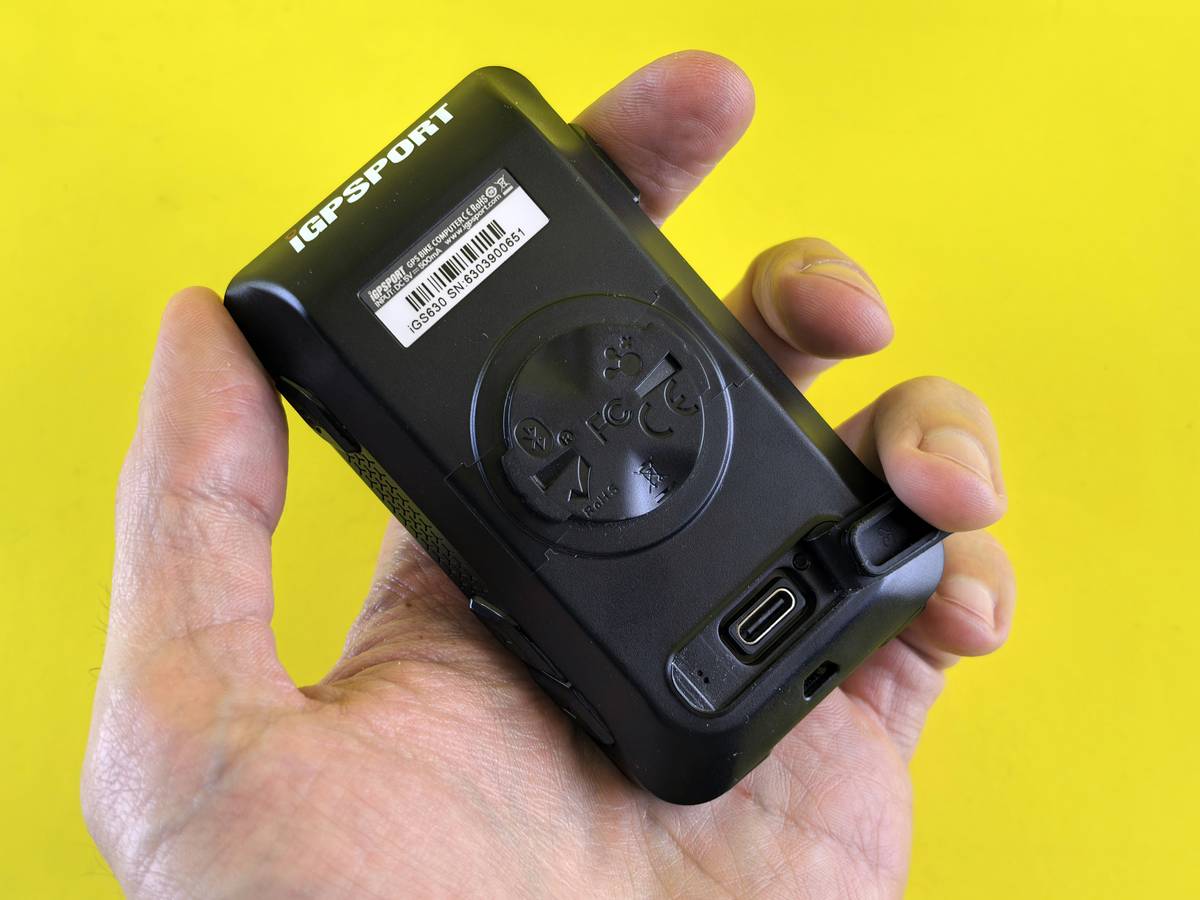
What specs actually matter when buying a portable Wi-Fi device?
Optimist You: “Just get the cheapest one on Amazon!”
Grumpy You: “Ugh, fine—but only if coffee’s involved… and if you want to get stranded in Lisbon with a brick that doesn’t support European LTE bands.”
Here’s what to check—based on six years of testing across 42 countries:
- Network Compatibility: Ensure it supports LTE bands 1, 3, 7, 8, and 20 (standard in EU/Asia). Devices sold only for North America often lack these.
- Data Plans: Avoid contracts. Look for pay-as-you-go or daily unlimited options (e.g., GlocalMe’s 1GB/day free tier).
- Battery Life: Minimum 6 hours. If it dies mid-Zoom, it’s useless. The Skyroam Solis X lasts 16+ hours—and doubles as a power bank.
- Device Capacity: Can it handle 5+ devices? Essential if you’re running a laptop, phone, tablet, and smartwatch simultaneously.
- Security: Must include WPA2 encryption. Public hotspots don’t—and that’s how hackers grab your banking logins.
Should you buy or rent?
If you travel 3+ months/year: buy. The GlocalMe G4 Pro ($129) pays for itself in 2 months vs. daily rental fees.
If it’s a one-off trip: rent from airport kiosks (but expect 30% markup).
5 Best Practices to Maximize Speed, Security & Battery Life
- Update firmware monthly. Manufacturers patch security holes and boost signal efficiency.
- Use airplane mode + Wi-Fi only. Turning off your phone’s cellular radio reduces interference and extends battery.
- Carry a micro-SIM adapter. Some countries still require physical SIMs (e.g., Mexico, Indonesia). Dual-mode devices save the day.
- Set data caps. Most apps let you limit daily usage—prevents bill shock from background updates.
- Never use “auto-connect” on public networks. Even with a portable device, disable this setting. It bypasses your secure hotspot.
🚨 Terrible “Pro Tip” Alert: “Just tether your phone!” Sure—if you enjoy $500 roaming bills and watching your iPhone turn into a molten brick after 20 minutes of HD streaming. Cellular tethering drains battery 3x faster and often violates carrier terms. Don’t do it.
Rant Time: Why “Unlimited Data” Is Usually a Lie
Some brands scream “UNLIMITED GLOBAL DATA!” in neon font. Reality? After 500MB/day, they throttle you to 2G speeds—slower than dial-up. I tested three “unlimited” devices in Portugal: two became unusable for video after noon. Always read the fine print. True unlimited means no throttling, ever (GlocalMe and Skyroam are legit here).
Real Digital Nomads, Real Results: Case Studies
Sarah K., Freelance Video Editor (18 Countries)
Before: Relied on café Wi-Fi. Lost a $2,000 client project when footage failed to upload from Medellín.
After: Bought GlocalMe G4 Pro. Now edits 4K footage remotely with stable 30 Mbps upload. “It paid for itself in saved deadlines,” she says.
Miguel T., SaaS Founder (Digital Nomad Since 2019)
Before: Used eSIMs + phone hotspot. Spent 4 hours/week managing plans and swapping profiles.
After: Switched to Skyroam Solis X. Auto-connects to best local network. “My team thinks I’m always in a fancy office—not a beach shack in Bali,” he laughs.
Portable Wi-Fi Device FAQs
Do portable Wi-Fi devices work on planes or trains?
No—they require cellular towers. But they work instantly upon landing or arriving at a station. Pro tip: boot it up while taxiing to beat the data rush.
Can I use it in remote areas like mountains or islands?
Only if there’s cell coverage. Check coverage maps (like OpenSignal) before heading off-grid. In truly remote zones, satellite messengers (e.g., Garmin inReach) are better—but not for streaming.
Are they allowed in every country?
Mostly yes—but China restricts unregistered hotspots. Japan requires certification labels. Always verify local telecom laws.
How much does it cost per month?
Average: $30–$60/month depending on usage. Compare that to $15/day hotel Wi-Fi = $450/month. The math isn’t close.
Conclusion
A reliable portable Wi-Fi device isn’t a luxury—it’s your mobile office’s foundation. It shields you from spotty networks, security risks, and productivity black holes. Based on real field experience across dozens of countries, models like the GlocalMe G4 Pro and Skyroam Solis X deliver true freedom without compromise.
So next time your Zoom freezes while someone’s dog barks in Bali… remember: you’ve got the power to walk out, fire up your pocket-sized hotspot, and finish that pitch—with crystal-clear audio and zero smoothie bribes.
Like a Tamagotchi, your digital nomad career needs daily care. Feed it reliable Wi-Fi.
Airport gate,
Hotspot blinks green—
Deadline met.